Skip to content

Loading StageLink™

0 items in cart

Cart

Your cart is empty.

Find your kit

Downloads

Software for your StageLink™ system. You will need the serial number from your Tune.

OE Tune software

Tune your StageLink™ system from your computer. Have your Tune serial number ready.

Enter your serial number

You will find the serial number on your Tune unit and its box.

Everything in OE Tune

OE Tune is the Windows software for your Tune 6-channel digital audio processor. Connect it to your computer to shape every speaker in your StageLink™ system.

  • Six output channels: front left and right, rear left and right, and left and right trunk subwoofer
  • Master volume from −60 dB to +6 dB with a mute switch
  • Link, Reset and Preset Option controls on every screen
  • Live connection status for your Tune
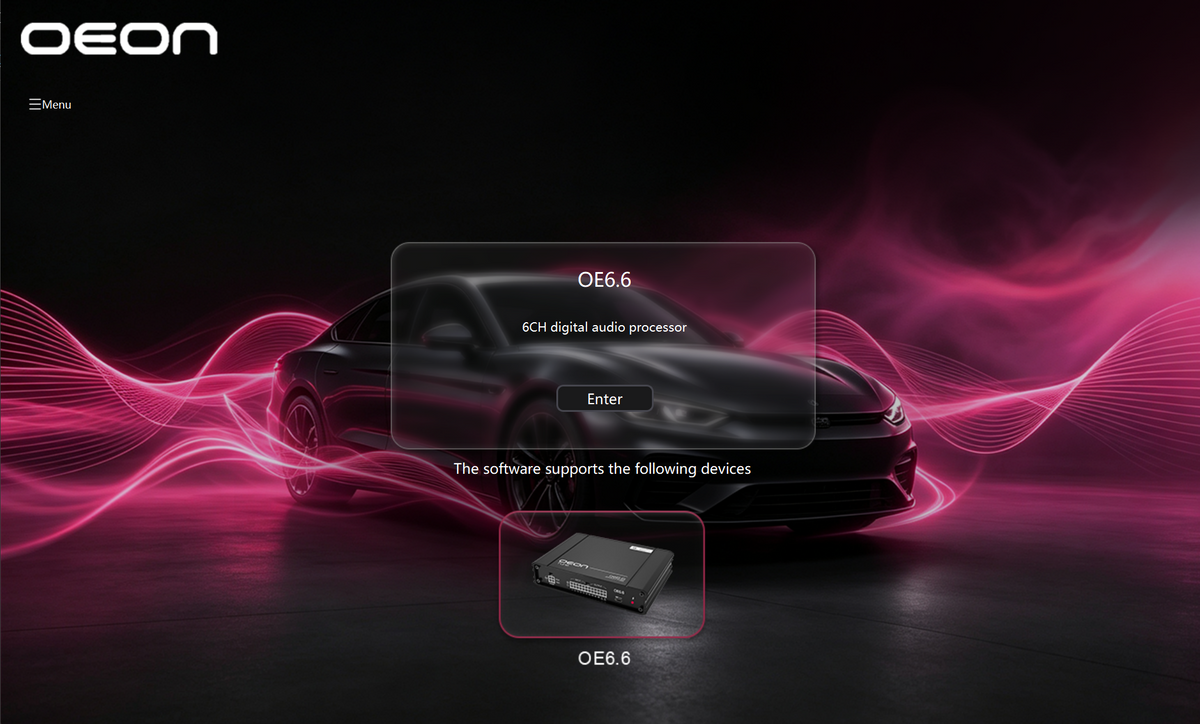
OE Tune start screen for the 6-channel digital audio processor
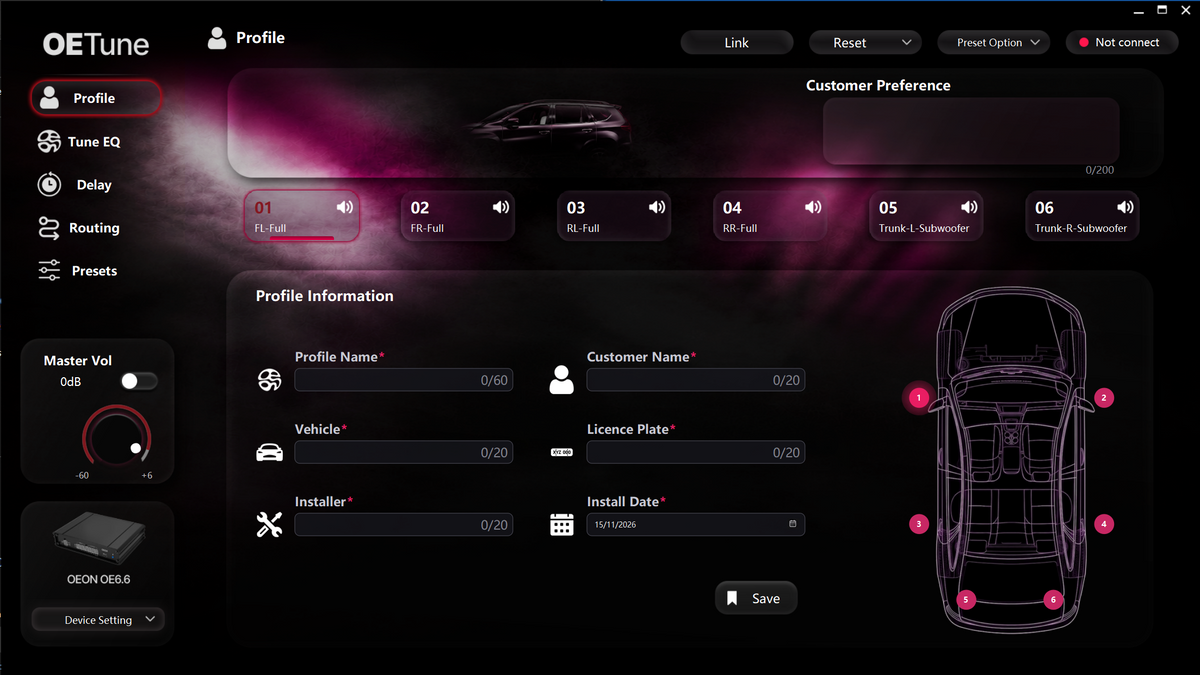
Profile

Profile

Save each installation's details with its tune.

  • Profile name, customer name, vehicle and licence plate
  • Installer name and install date
  • Customer preference notes, up to 200 characters
  • Car map showing the position of all six channels
  • Save the profile
Tune EQ

Tune EQ

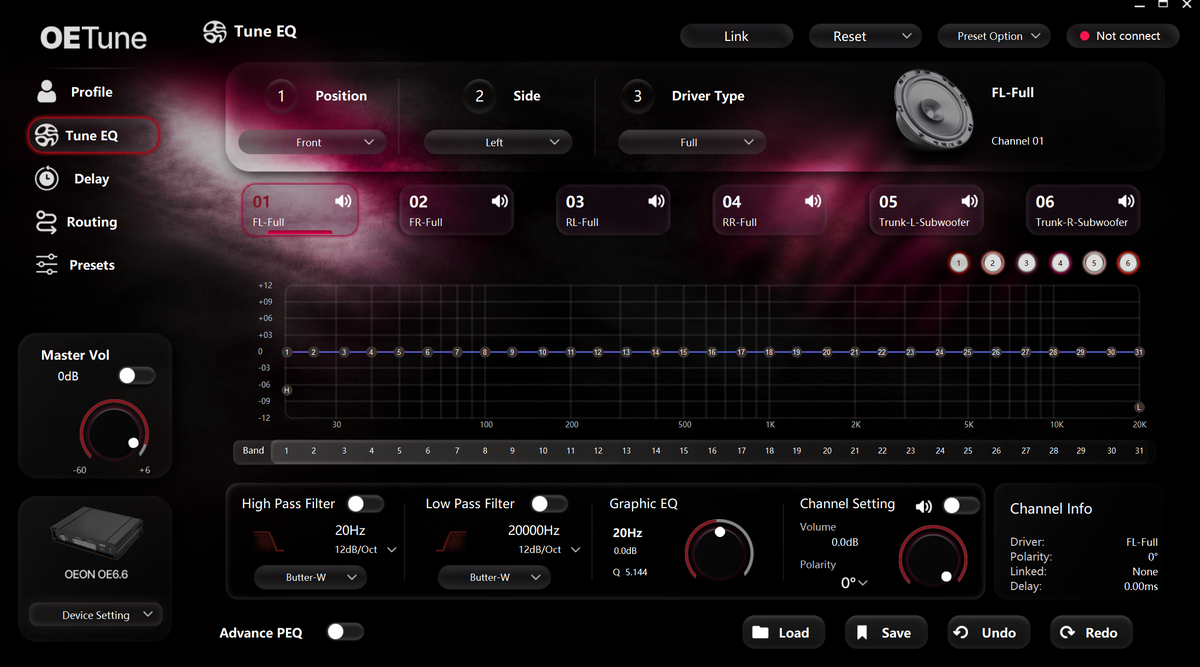
Shape the sound of each channel precisely.

  • 31-band graphic EQ from 20 Hz to 20 kHz, ±12 dB per band
  • Set gain, frequency and Q for each band
  • Set each channel's position, side and driver type
  • High-pass and low-pass filters with adjustable frequency, slope and filter type
  • Channel volume, polarity and mute
  • Advanced PEQ mode
  • Channel info: driver, polarity, linked channel and delay
  • Load, save, undo and redo
Delay

Delay

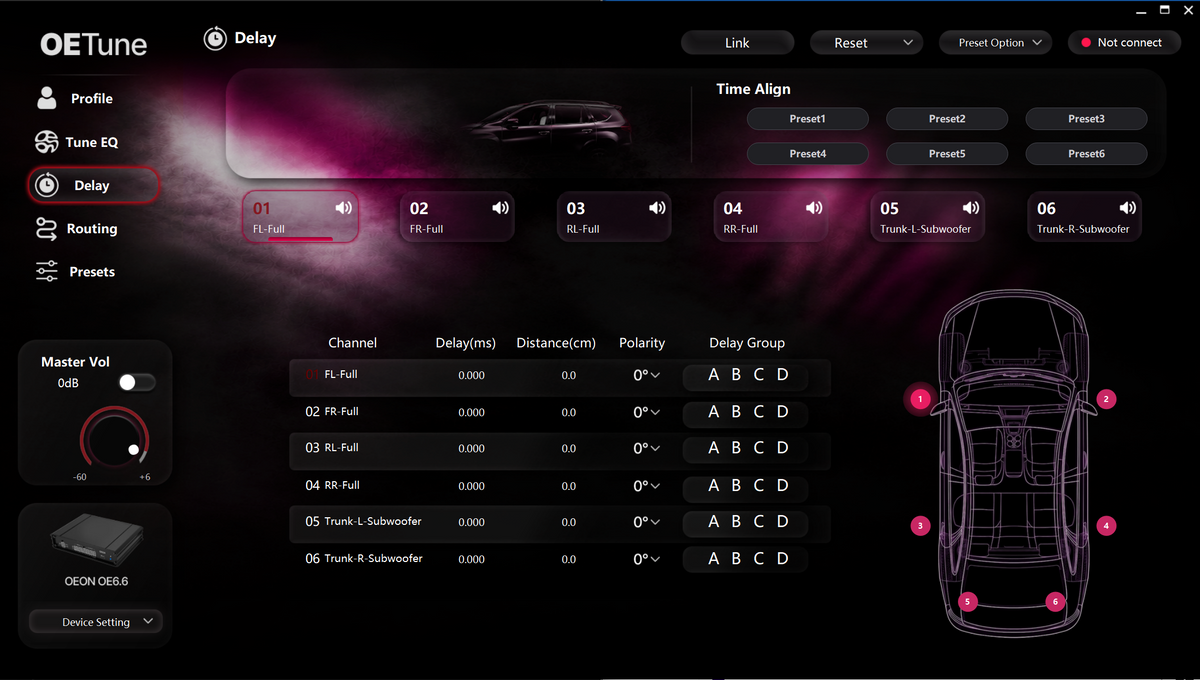
Time-align every speaker to the listening seat.

  • Delay per channel, in milliseconds or distance in centimetres
  • Polarity per channel
  • Delay groups A, B, C and D
  • Six time-align presets
  • Car map of the channel positions
Routing

Routing

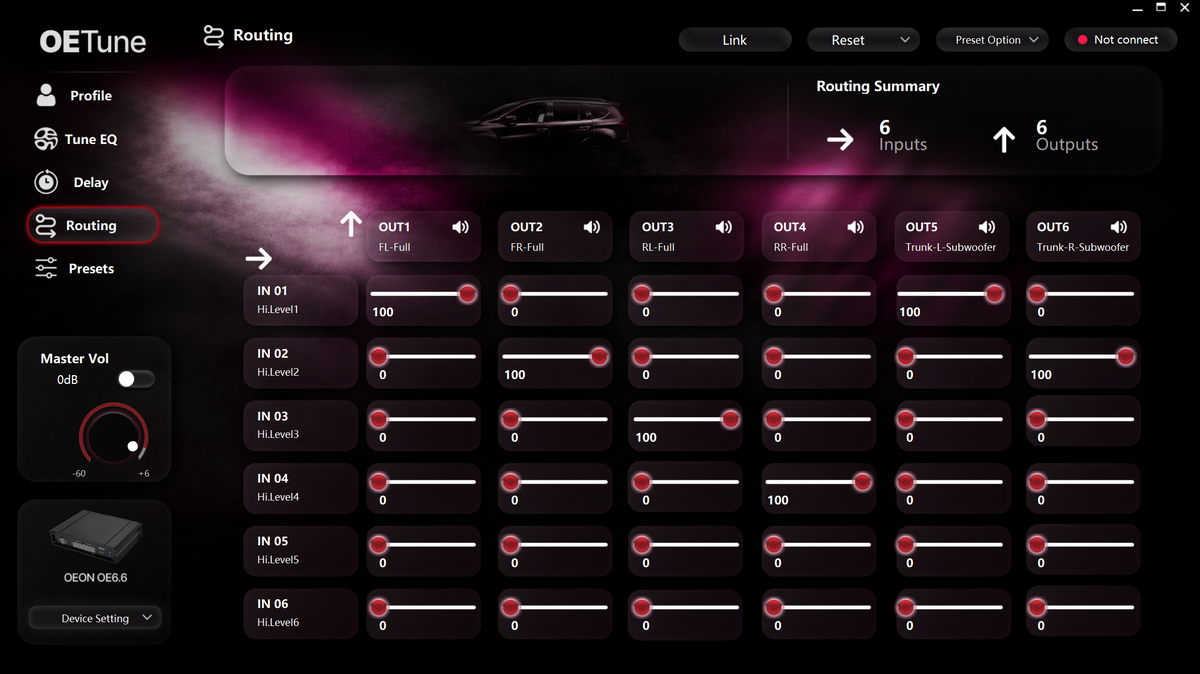
Send any input to any output.

  • 6 × 6 mixing matrix: 6 inputs to 6 outputs
  • Level from 0 to 100 for each input on each output
  • Routing summary of active inputs and outputs
Presets

Presets

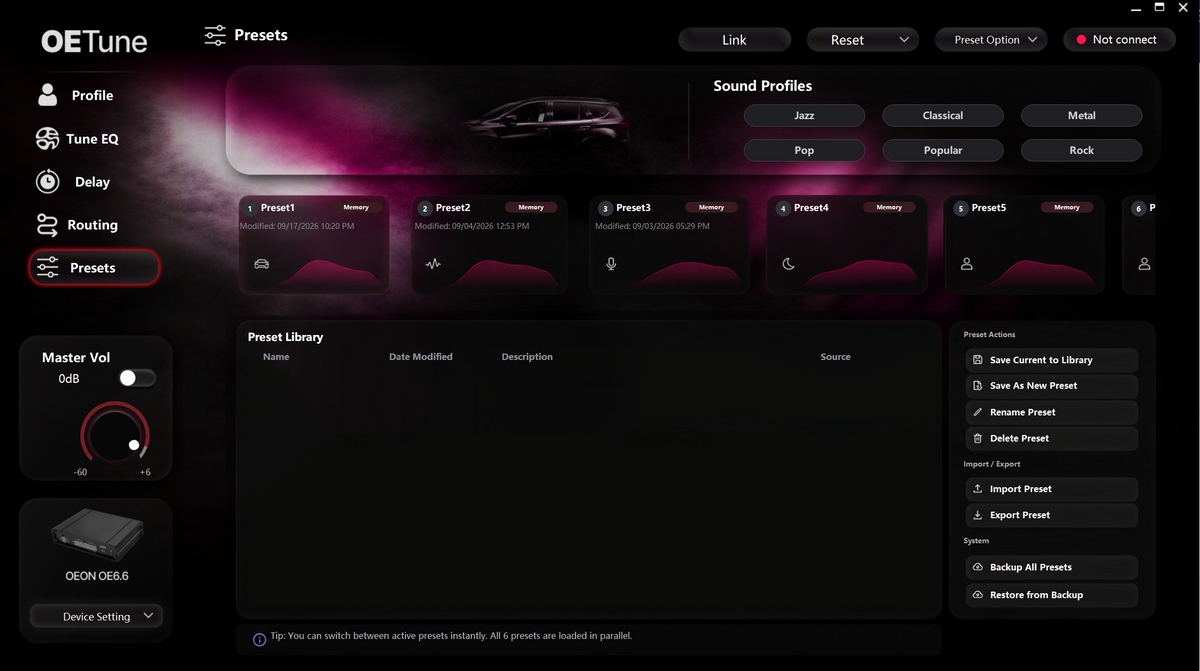
Store six tunes on the device and switch instantly.

  • Six presets held in device memory, all loaded in parallel for instant switching
  • Sound profiles: Jazz, Classical, Metal, Pop, Popular and Rock
  • Preset library with name, date modified, description and source
  • Save current settings to the library or as a new preset
  • Rename and delete presets
  • Import and export presets
  • Back up all presets and restore from backup
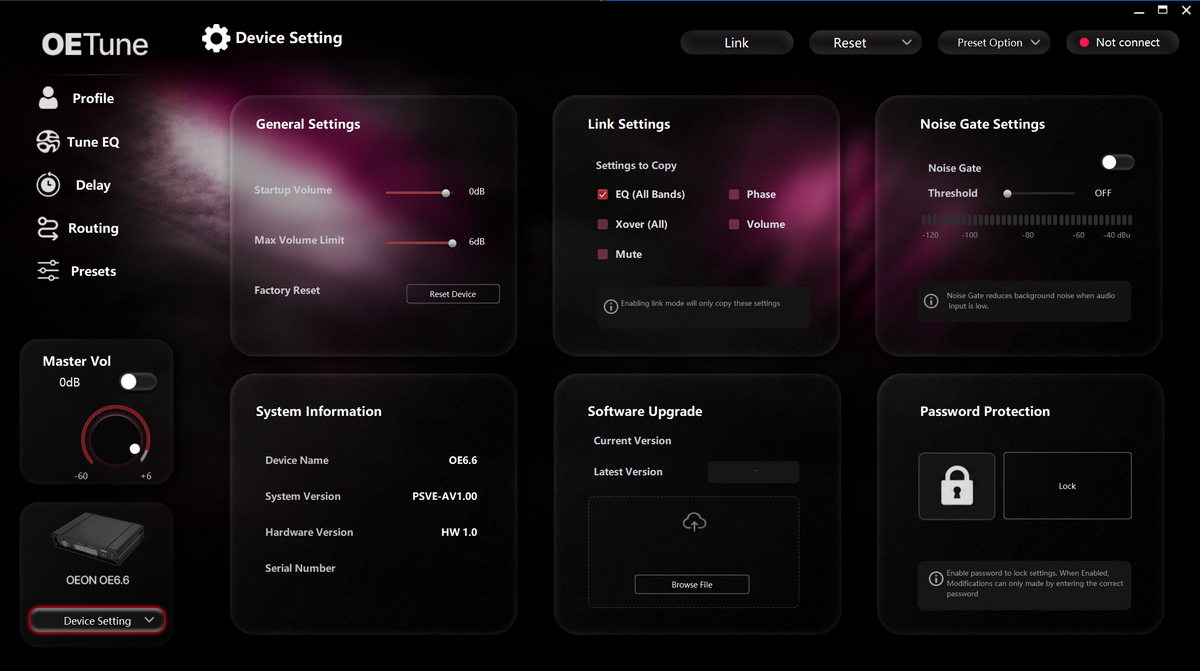
Device Setting

Device Setting

Set up, protect and update your Tune.

  • Start-up volume and maximum volume limit
  • Factory reset
  • Link settings that copy EQ (all bands), crossover, mute, phase and volume between channels
  • Noise gate with adjustable threshold to cut background noise when the input is quiet
  • System information: device name, system version, hardware version and serial number
  • Software upgrade from a file
  • Password protection to lock your settings

Know your listening signature

Start with your playlist. Then tell us how you like it to sound.

What fills your playlist?

Choose everything you genuinely listen to.

What fills your playlist?